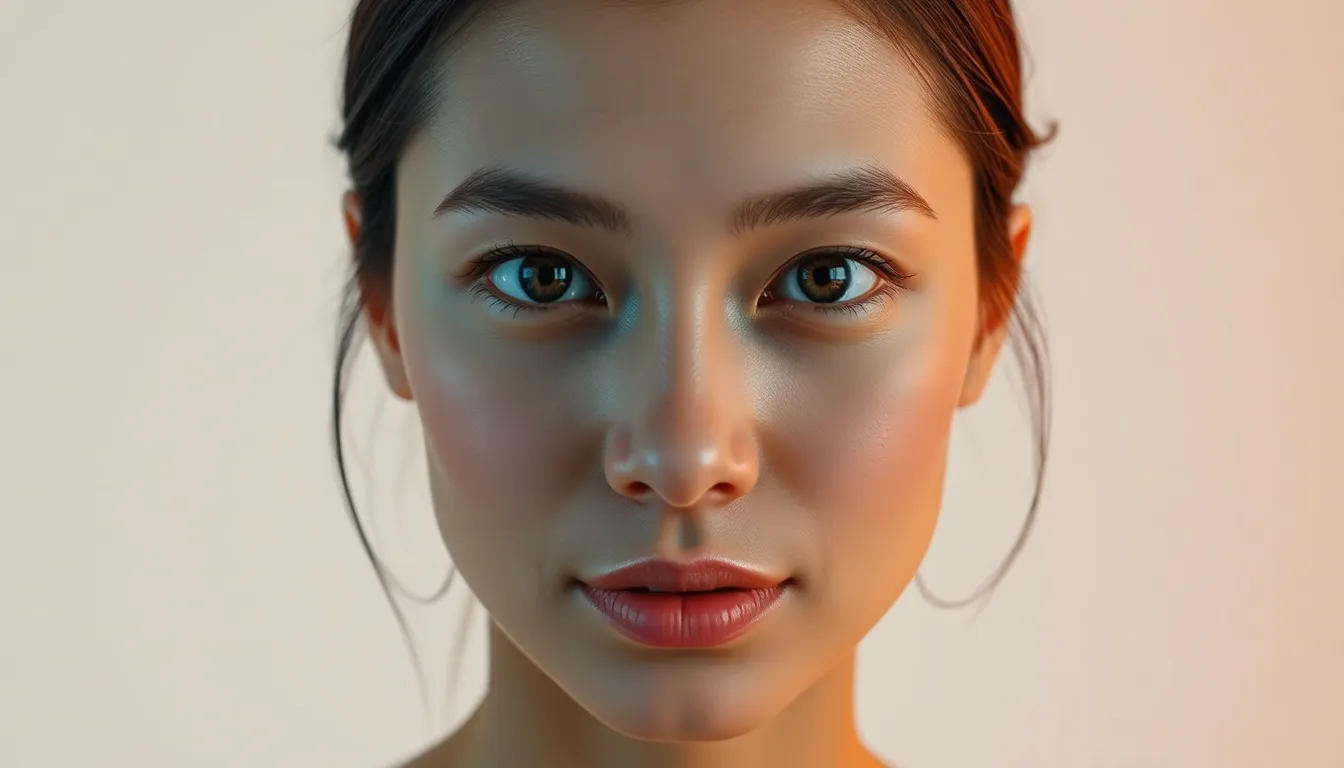
Enhance the uploaded image into a high-end professional studio photoshoot while preserving 100% of the original facial features, identity, and expression. Professional Lighting Setup: Soft key light from a 45° angle (studio softbox effect) Gentle fill light to reduce harsh shadows Subtle rim light for clean subject-background separation Balanced exposure with clean highlights and controlled shadows Soft falloff lighting for a natural studio gradient effect Lens & Camera Simulation: Shot on Nikon D700 with a 135mm f/1.2 lens Ultra-shallow depth of field Creamy, soft bokeh background blur Strong cinematic compression with subject isolation Professional Minimalist Background: Clean, luxury minimalist studio background Options: soft neutral tones (beige, off-white, light grey, or muted pastel) Smooth gradient or seamless backdrop (no texture noise or clutter) Subtle studio vignette or light falloff behind subject Optional: very soft abstract blur or diffused shapes for depth (still minimalist) Ensure background enhances subject without distraction Color & Tone Grading: Accurate skin tones with natural warmth Professional white balance (neutral to slightly warm) Vogue-style editorial color grading Enhanced contrast with soft highlight roll-off Subtle skin glow (natural beauty retouch, not plastic) Retouching (Realistic & Premium): Smooth skin while preserving pores and texture Remove only minor imperfections Sharpen eyes, eyelashes, and key facial details Enhance hair texture with natural shine Maintain full realism (no over-processing) Final Output Look: Ultra-realistic, high-resolution (8K feel) Clean, elegant, luxury studio aesthetic Minimalist editorial magazine quality (cover-ready) Perfect subject-background harmony No distortion, no alteration to body proportions
AI Image Generator Time: Mar 27, 2026
AI Image Generator Hub Frequently Asked Questions
Got questions about our AI image tools? We've got answers. For additional inquiries, feel free to contact us.
What is the AI Image Generator Hub?
The AI Image Generator Hub allows users to generate images by inputting descriptions. Currently, we support the Flux,DALL model, with plans to support additional models in the future.
How many images can I generate per day?
Free users can generate up to 3 images per day. If you need more generations, consider upgrading your account.
Can I use the generated images for commercial purposes?
Images generated by free users cannot be used for commercial purposes. To use the images commercially, we recommend upgrading to a paid account.
How do I upgrade to a paid account?
You can find the upgrade option in your user settings on the website. Select a suitable paid plan and follow the instructions to complete the payment.
What is the quality of the generated images?
Our AI model is designed to generate high-quality images that meet various creative needs. We continuously optimize the model to improve image generation results.
What should I do if I encounter technical issues?
If you experience any technical issues while using the tool, please contact us through our customer support channels, and we will be happy to assist you.